
📱 Scrolling Less, and Reading More

All too often I’ve found myself endlessly scrolling and wasting time on my phone. Prior to college I didn’t use any social media, but I eventually found myself victim to the endless pit that is Instagram reels. I hate it. It sucks me in, wastes my time, and leaves me feeling frustrated with my lack of progress on anything worthwhile.
Over the last several years I’ve noticed a clear decline in my attention span and overall productivity, I miss the brain I had before the doomscroll. In an attempt to reclaim my productivity I’ve used a couple different tools to help me scroll less, and read (and do other productive things) more.
💀 Scrolling Less
Several months ago when I first decided to actively combat my bad phone habits I started off by using Apple’s baked in screen time monitoring controls. This lets you set time limits for specific apps, so I set some reasonable limits on things like Instagram and Reddit to try and wean myself off.
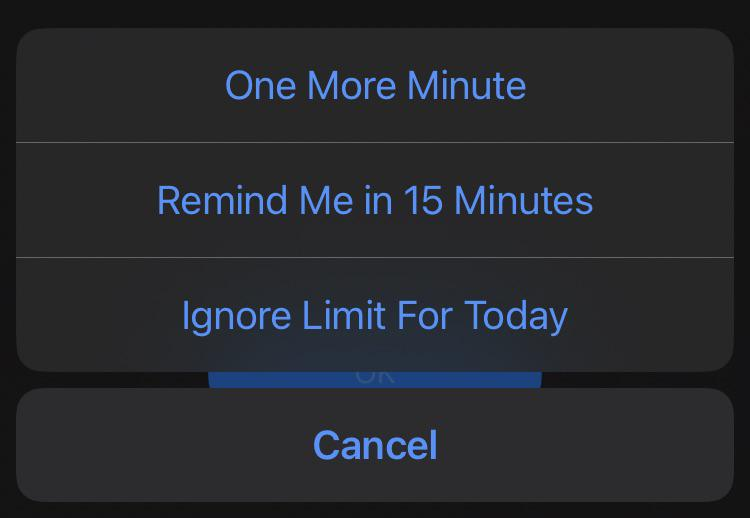
Although things went well at first, there’s a big problem with this solution (at least for me). Apple gives you a way out, you can ignore the limit with a simple button press. This is pretty counterintuitive when you’re trying to break a habit and improve your willpower and I found myself pretty often just clicking ignore.
I looked into some 3rd party solutions like Opal and Brick, but I’m not interested in spending any money. I hate subscriptions, and the brick device is an absurd $60 for what’s essentially an NFC tag and some magnets.
⌛ Foqos
Doing a little more digging I found Foqos, it’s an open-source free app blocker that has all the features I need. It allows you to use manual triggers, NFC tags, and QR codes to interact with different blocking profiles. And it’s very configurable, allowing you to remove the ability to ignore the time limit, allow specific breaks, etc.
When Foqos is active, there’s no “ignore limit” button, I have to go physically tap my NFC tag.
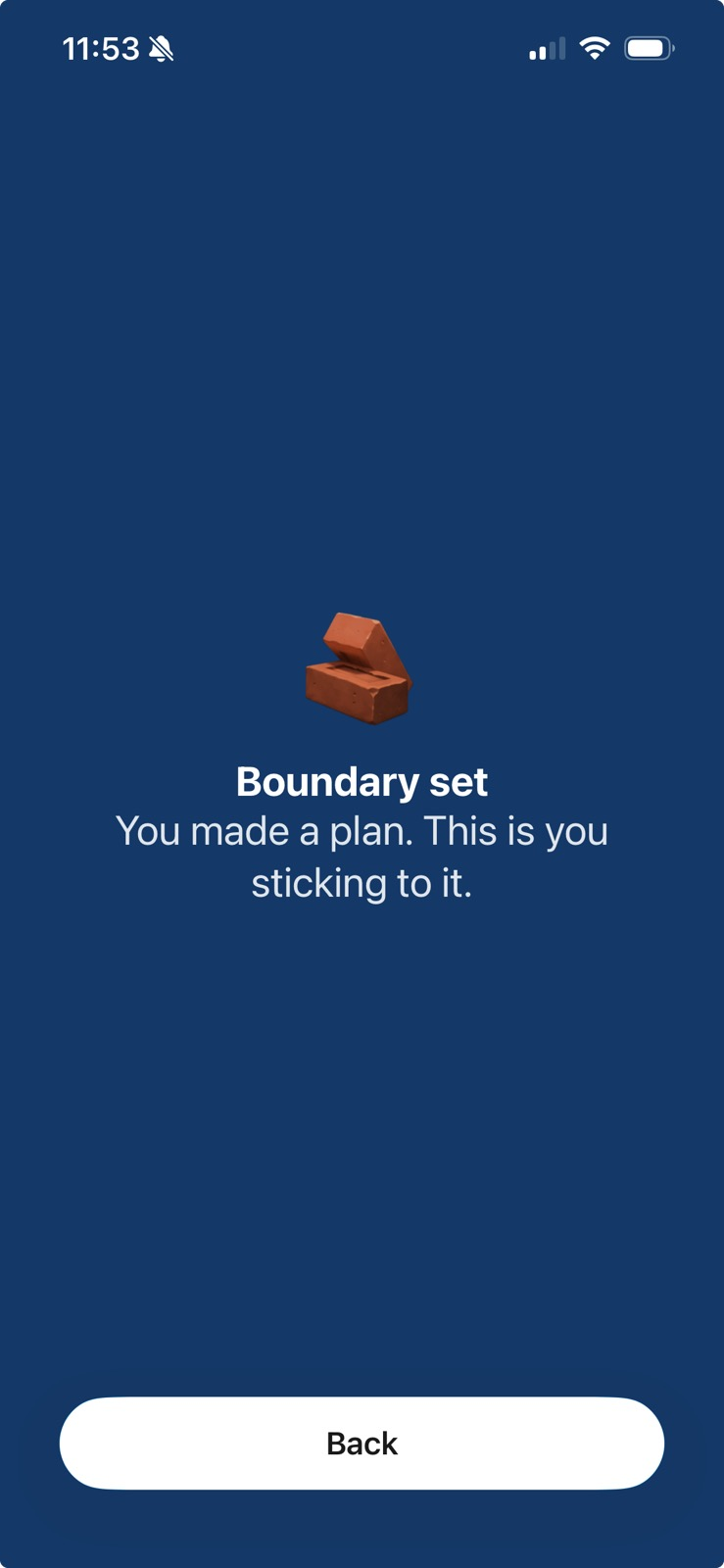
I’ve been using this for several weeks and I absolutely love it. I’ve seen a concrete and noticeable improvement in my productivity, I spend less time on my phone, and it’s had a very positive impact overall.
I configured two main profiles:
- Schedule: This profile blocks social media access from 9a-5p, and 9p-12a. It starts automatically, and the only way I can stop it is by physically tapping my NFC tag. I allow a single timed break in case I actually need to check something, but this also requires tapping the tag.
- On-Demand: This profile activates when I manually select it, or when I tap my NFC tag. There’s no defined schedule, and it only stops if I tap the tag.
This combination has been very effective for me, it allows phone use before and after work but ensures that for the vast majority of my day I’m focused and present. The on-demand profile is great for additional targeted sessions when I want them, but I really haven’t used it very often.
One struggle I have had with Foqos is the lack of configurability for scheduling, since schedules only allow you to select a single time window, I’ve had to create two separate profiles to cover my day and night time blocks.
✂ Shortcuts
An extra step that makes things a bit nicer is the ability to set up iOS shortcuts to start/stop profiles when you tap an NFC tag. I created a shortcut that checks to see if a profile is active, and starts/stops it accordingly for an extra level of convenience.
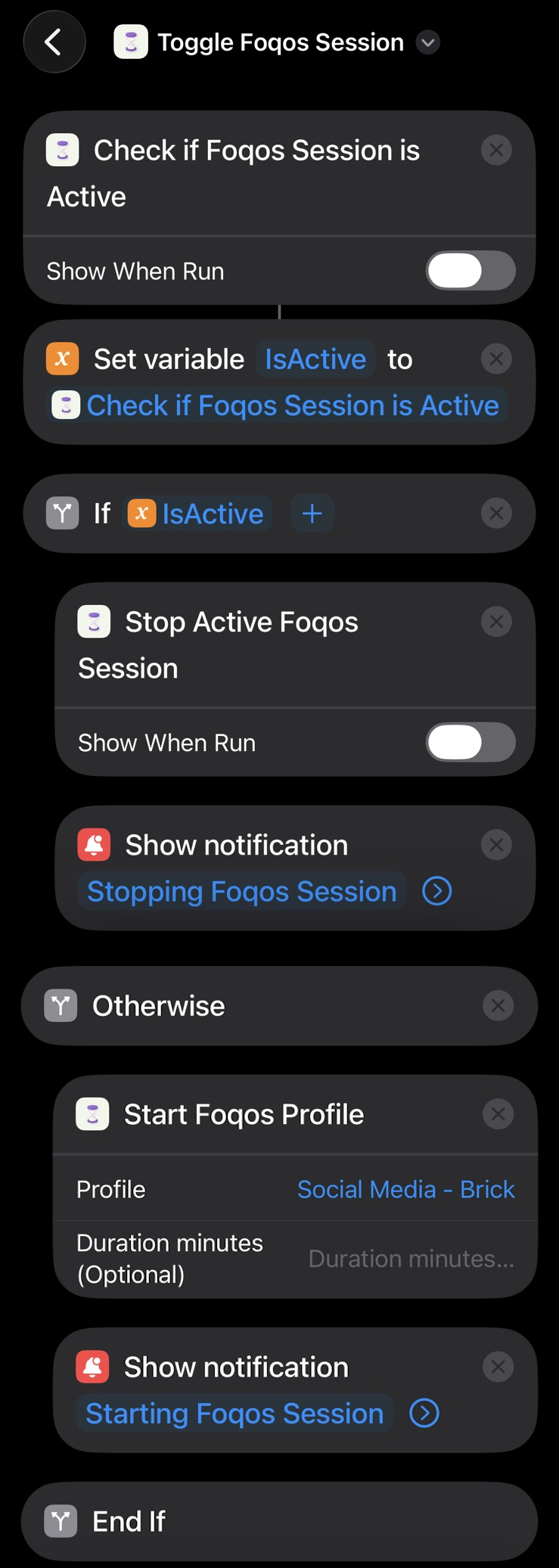
Then, I set up automations to trigger the shortcut when my NFC tags are scanned.
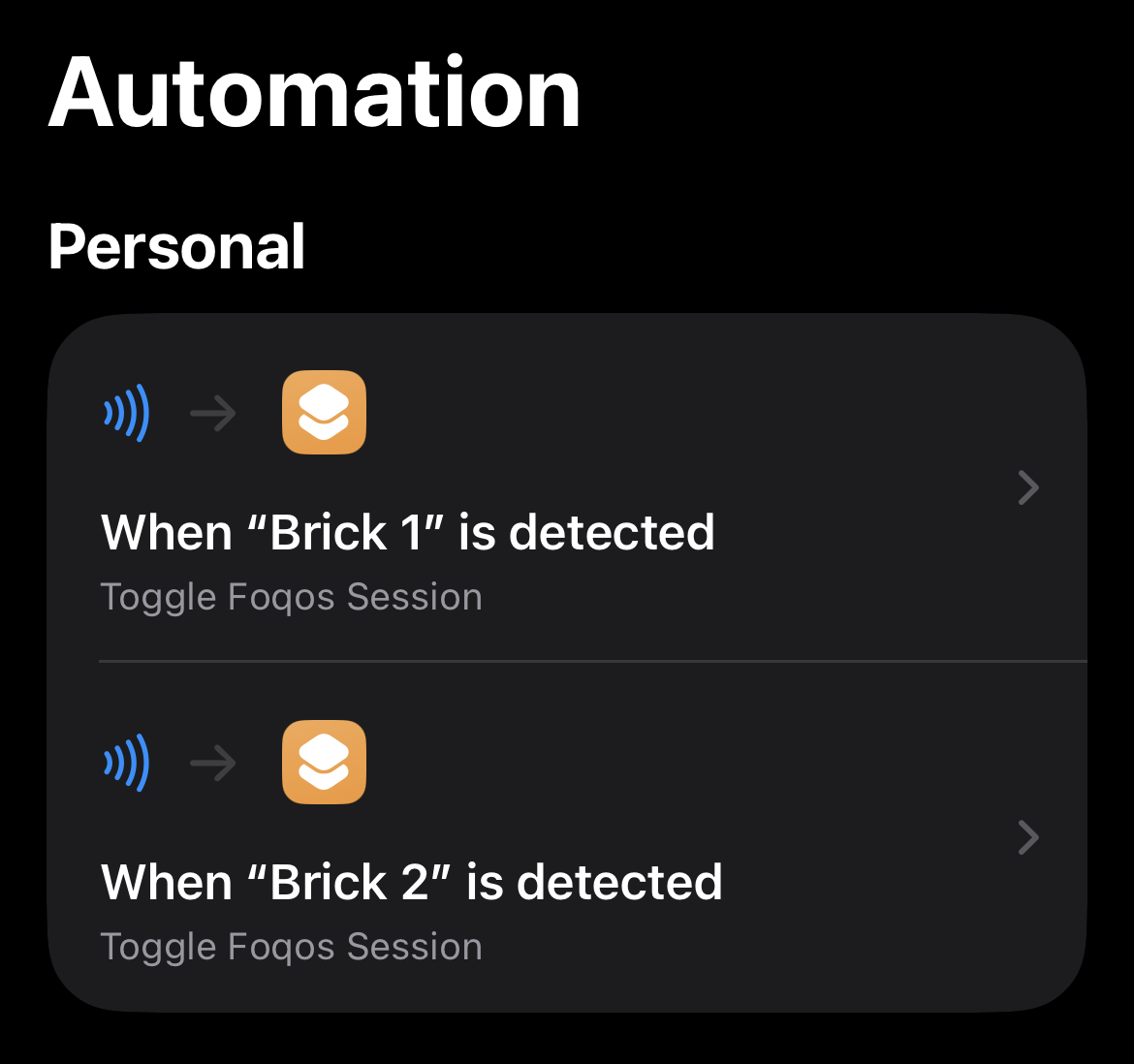
This has worked well, but it did highlight an issue: since Foqos exposes a “Stop Active Foqos Profile” action via shortcuts, you can bypass the NFC tag requirement by just activating a shortcut to stop your active profile.
🧱 NFC Tags
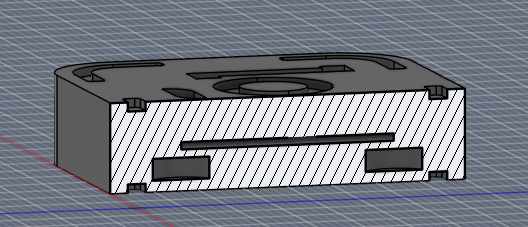
To make things feel a bit more premium, I 3D printed a brick-style NFC tag holder & fridge magnet. There are plenty available online, Foqos even provides some models, but they didn’t fit the magnets I had on hand.
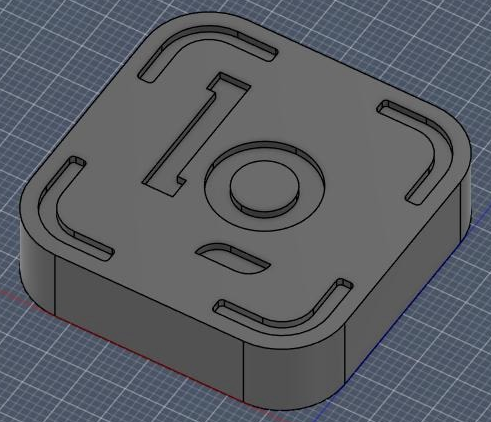
I designed a quick parametric model that allows you to configure the size of your magnets and NFC tag. You can find it here on Printables, the Fusion files are included so you can change the graphic.
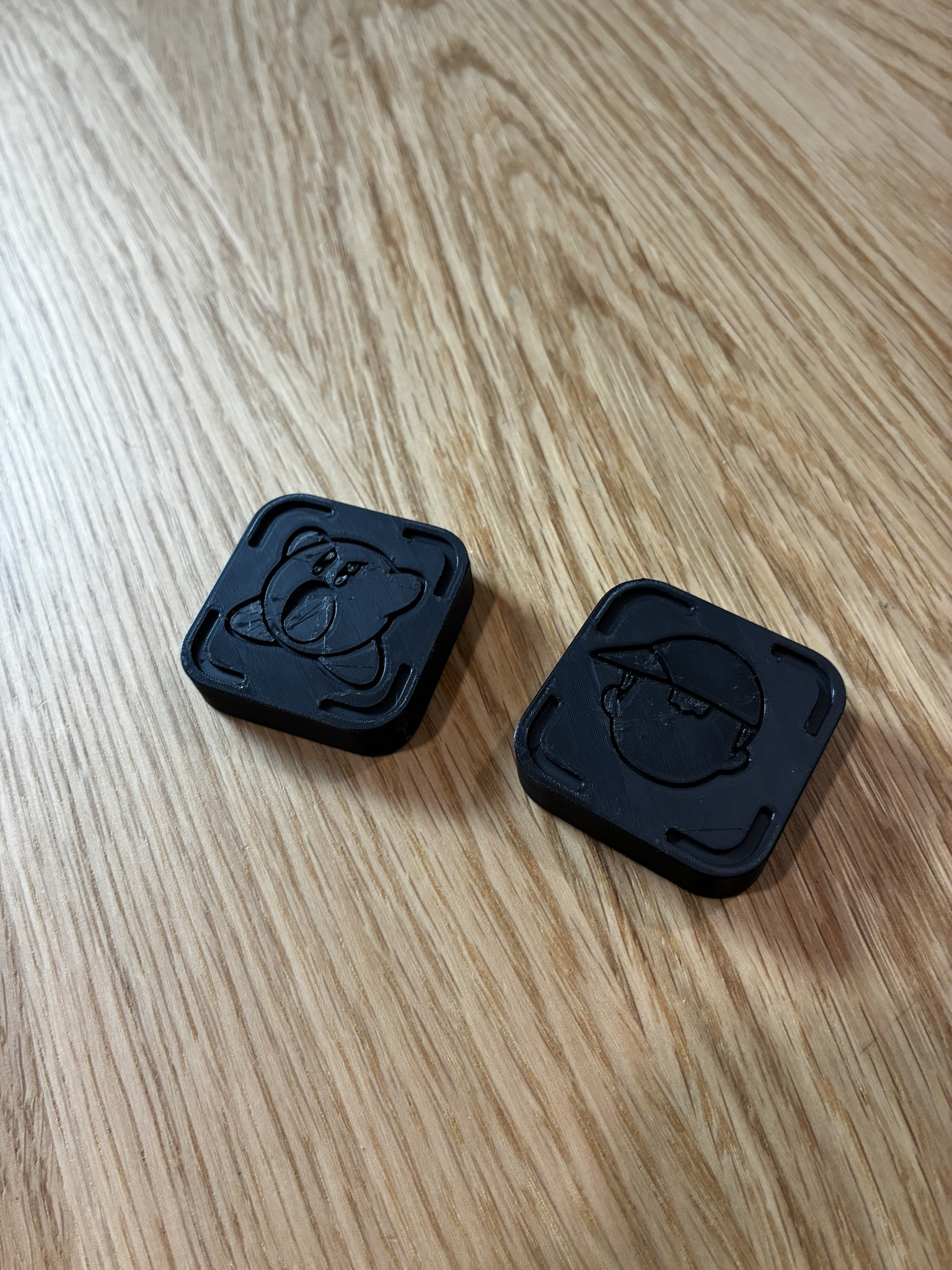
Overall, I’ve really enjoyed using Foqos and it’s been helpful as I try to improve my habits. But discouraging negative habits is only half the battle, as I add friction and make it harder to waste my time I’ve also been working to make it easier to pick up something positive like a book.
📖 Reading More
I love to read. Lately I’ve been big on sci-fi getting into The Bobiverse, The Expanse, Dune, Red Rising, Dungeon Crawler Carl, etc. For the past several years my ereader of choice has been my Note Air 2 Plus from Boox. This thing carried me through college; I read on it constantly and used it to take notes for all my classes. But now in my everyday life it’s a lot less convenient, it’s a hassle to pull out on the bus or train and I oftentimes found myself going for my phone instead.
Recently I picked up a nifty little pocket-sized ereader, the XTEink X4. It’s very trendy right now, but it’s under $100 and really has helped shift my habits and has made reading much more convenient. I bring this little guy everywhere, and in the couple months I’ve had it I’ve read around 15 books on it. I whip it out whenever I have a spare moment, on the bus, waiting in line, eating a snack. I’ve worked to try and replace the unconscious action of checking my phone with reading a couple pages.
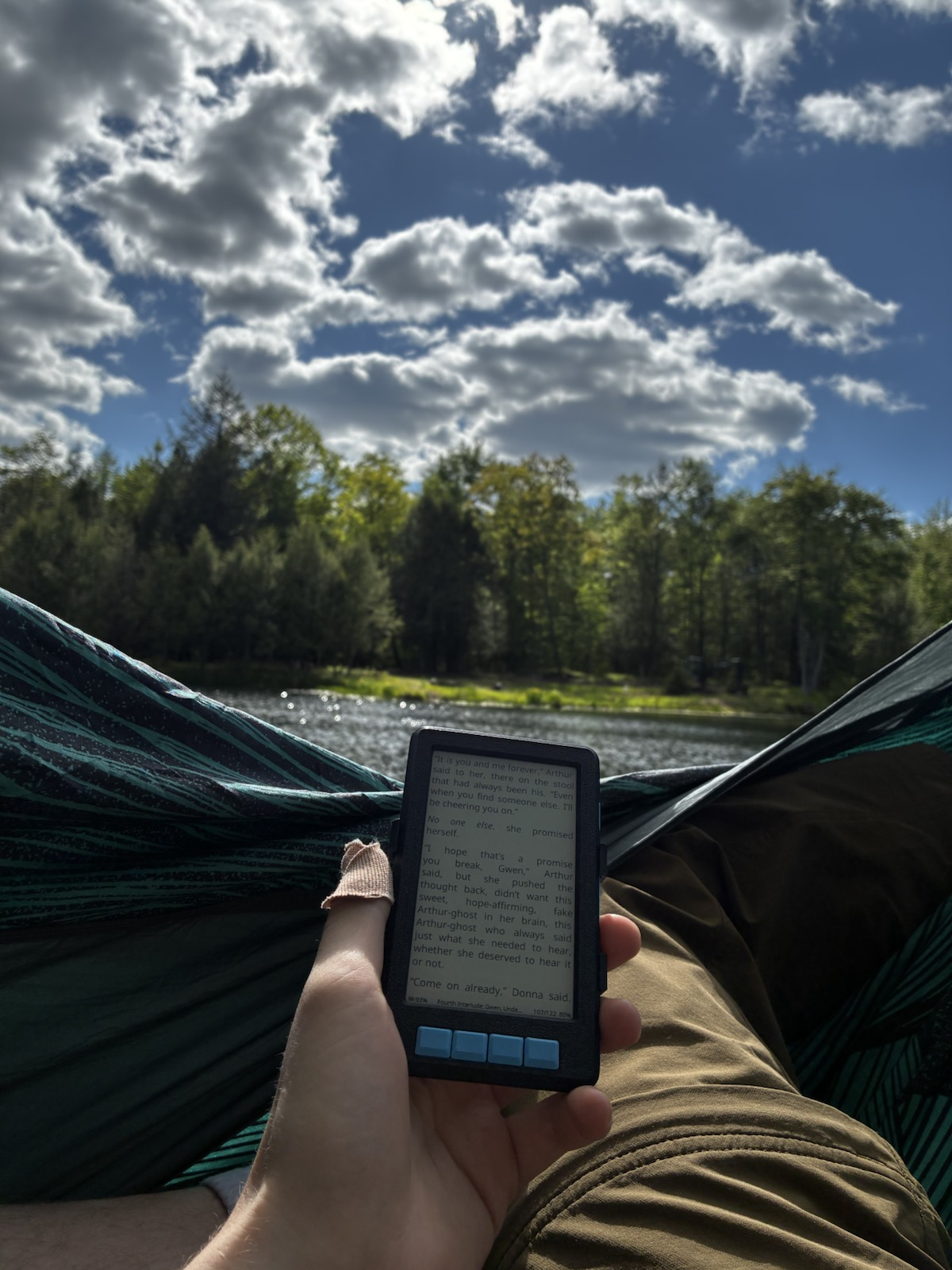
In terms of customization, I’ve flashed the open-source CrossPoint firmware onto my X4, it has more community support and capabilities than the stock firmware. Most importantly to me, it has the ability to sync progress between devices using a KoSync plugin. I’ve also 3d printed a case and cover since these eink devices tend to be fairly fragile.
🖥 Infrastructure & Syncing
One piece that was really important to me was the ability to sync reading progress between my devices. The X4 doesn’t have a backlight, and it is fairly tiny, so when I’m at home I still like to grab my Boox since it has a much larger screen and is better for reading at night. Enter KoReader and KoSync. KoReader is an open-source reading app optimized for eink devices, and it has the ability to sync progress across devices using compatible servers. This was really a gamechanger as I can seamlessly read the same book across devices, including my phone.
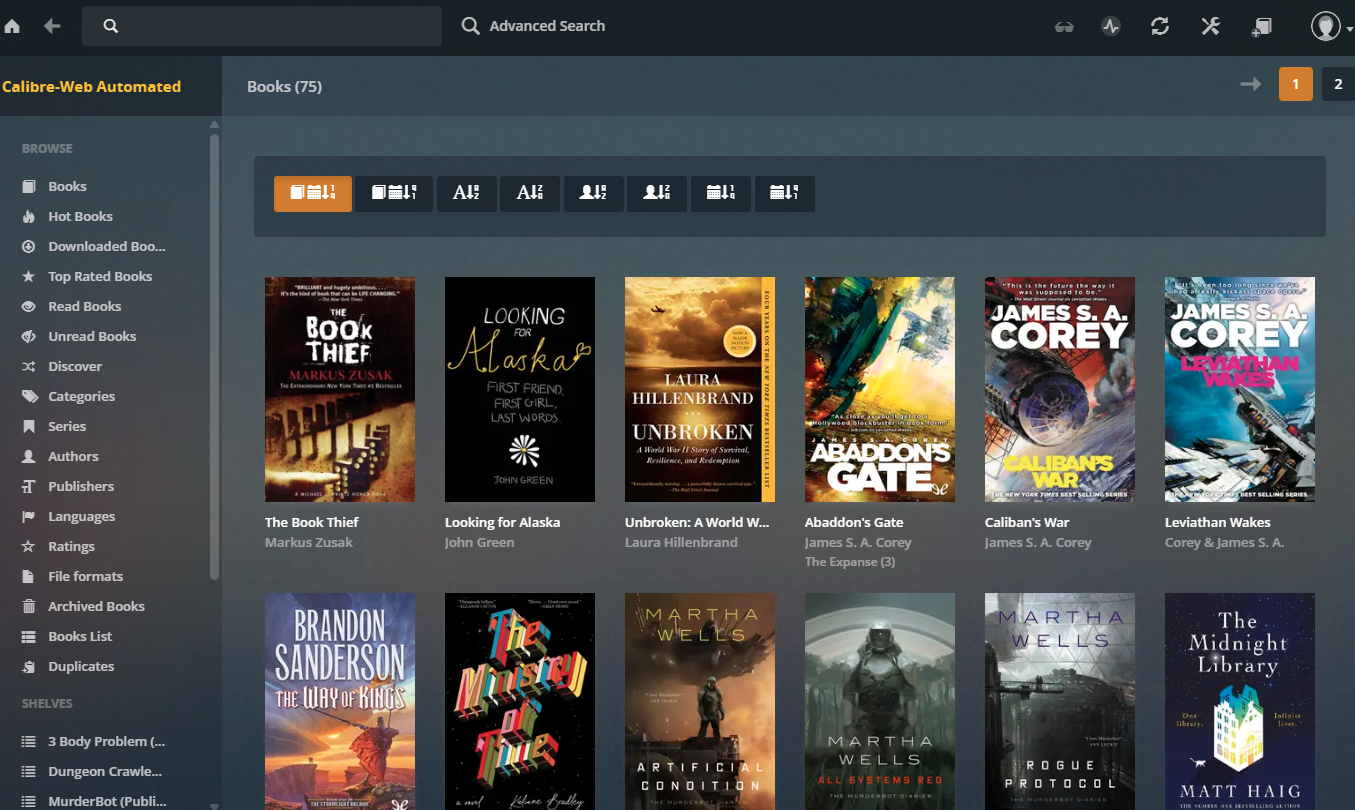
I took this as an opportunity to start up a homelab. This is something I’ve wanted to do for a while, I picked up a used NUC off Facebook Marketplace, spun up Proxmox, and deployed Calibre Web Automated to manage my book library and allow for progress to be synced across devices. My setup has gotten a lot more complex since then, so expect a post detailing the homelab in the future.
✨ Closing
Wasting time and feeling unproductive sucks. Although downloading a new app and buying an ereader can’t force you to build good habits, these have been really positive changes for me that have helped me be more deliberate with how I spend my time. I’ve been spending less time on my phone, and more time doing things that matter like working on projects, spending time outside, and reading; and I’d encourage you to do the same 😸
- Title: 📱 Scrolling Less, and Reading More
- Author: Liam Geyer
- Created at : 2026-06-25 00:00:00
- Updated at : 2026-06-27 19:19:45
- Link: https://lfgberg.org/2026/06/25/yap/scrolling-less-reading-more/
- License: This work is licensed under CC BY-NC-SA 4.0.